Posts

Showing posts with the label XML

Design Patterns in Android

       As Android developers or developers in general, we encounter the Design Patterns paradigms pretty much in every job. Most of us as I roughly assume – go over some of the more common design patterns as an integral part in preparing for a job interview.      It is common to assume that software developers should be familiar with what design patterns are and should be able to fire couple of them and explain their usage in modern software architecture. the common patterns that you’ll probably be asked to explain are Singleton, Factory, Strategy and maybe some more exotic ones.      So the question asked, is how do classical Design patterns come handy when planning the  architecture of an android app?      The answer to this somewhat bizarre question can be divided into two mini answers : The platform which we are developing for is not important. In other words, the fact that we are dealin...

Testing Android Applications

Android Testing testing in Android application can be really tricky, there’s a lot to test if we want to deliver a proper application which supports as much users as posible, here are a few tips on the what to test and how to test: Testing in Android: · Screen sizes Testing how the app is shown in different screen sizes · OS versions Apps can behave differently or even crush in some OSD versions due to lack of targeting to specific device · Densities Screen densities change from device to device, and from a UI point of view this can be real issues, having apps to look far from the designers aim · Resolutions When not targeting a specific resolution the graphics are used with OS manipulations like stretch and scale, which can be resulting in a disastrous UI and UX for the user · Functionality Basic functionality testing of the app in terms of business logic · Usability The usability angle is very important once we are handling a small device, a lack of attention to the UI and user e...

תכנות לאנדרואיד בקלות פרק 9 – תפריטים - Menus

Menu באנדרואיד הינו אלמנט מאוד חשוב, כדאי לכלול אותו בכל אפליקציה על מנת לאפשר למשתמש להגדיר את ההגדרות וההעדפות שלו. ישנן 2 דרכים אשר באמצעותן ניתן ליצור menu: 1. ע"י xml 2. ע"י code יצירת menu ע"י XML <? xml version ="1.0" encoding ="utf-8" ? > < menu xmlns:android ="http://schemas.android.com/apk/res/android" > < item android:id ="@+id/new_game" android:icon ="@drawable/ic_new_game" android:title ="@string/new_game" android:showAsAction ="ifRoom" /> < item android:id ="@+id/help" android:icon ="@drawable/ic_help" android:title ="@string/help" /> </ menu > תחת תיקיית res צרו תיקיה בשם menu ובתוכה צרו menu.xml, זה הקובץ אשר מכיל את ההגדרות עבור התפריט בתצורה הבאה: תחת התגית של menu יש ליצור תגיות item אשר כל אחת תכיל: · Id – על מנת שנוכל להחליט בקוד מ...

תכנות לאנדרואיד בקלות פרק 8 - בניית אנימציות tween, frame by frame

בפרק זה אנו נראה כיצד אנחנו יכולים להפוך את ה UI שלנו למעניין יותר ע"י שימוש ב Animation API שמגיע אלינו בתוך ה Android SDK. נתמקד בשני סוגי אנימציות עיקריים: Frame by frame, tween כמו בפעמים אחרות שנתקלנו בהן – ניתן לבצע אנימציות גם ב xml וגם בקוד. כרגע נדבר על tween animation: נבחן את קטע ה XML הבא: בתוך תיקיית res צרו תיקיית anim ובתוכה קובץ xml חדש אשר נקרא simpleanimation.xml <?xml version="1.0" encoding="UTF-8"?> <set xmlns:android="http://schemas.android.com/apk/res/android" android:interpolator="@android:anim/accelerate_interpolator"> <rotate android:fromDegrees="0" android:toDegrees="360" android:pivotX="50%" android:pivotY="30%" android:startOffset="250" android:duration="3000"/> <alpha android:fromAlpha="1.0" android:toAlpha="0.3" android:duration="1000"/> <scale android:fromXScale=...

תכנות לאנדרואיד בקלות פרק - 7 שימוש ב Resources

בפרק זה אנו נראה כיצד ניתן להשתמש ב Resources, גם כאלה שאנחנו מוסיפים לפרוייקט (strings,images,sounds..) וגם כאלה שבאים מוכנים ב SDK של Android. כעת נראה דוגמא קצרה שתמחיש לנו את השימוש ב Resources ולאחר מכן ננתח אותה. דוגמת קוד: Resources res = getResources(); String name = res.getString(R.string.app_name); Log.i("test",name); ה Class Resources בעצם מייצג את ה Resources של האפליקצייה, והמתודה getResources() הינה מתודה של Activity שמספק לנו חבילה של ה Resources בתצורת key-value אשר מכילה סוג של Dictionary אשר מכיל את ה Resources של הפרוייקט. על מנת לחלץ איזשהו ערך מתוך ה resources אנו דוגמים את res באמצעות ה key המתאים, בדוגמא שלנו אני מחפש לקבל את שם האפליקציה כפי שהוגדרה בקובץ res/values/string.xml. הkey של הערך אותו אני צריך הינו app_name וכך אני בעצם יודע מה לבקש. בסופו של דבר אני כותב את הערך שחילצתי לLog על מנת לבדוק מה קיבלתי (נדבר על ה Log בפרק X) דוגמא נוספת: Drawable drawable = res.getDrawable(R.drawable.ic_launcher); String minHeight = String....

תכנות לאנרדואיד בקלות פרק 6 – בניית Layouts על ידי code

מבוא בפרק הקודם ראינו כיצד ניתן לבנות layouts (מסכים) שונים ע"י שימוש בשפת markup – XML כפי שאנחנו מכירים מפלטפורמות אחרות כגון WEB/ASP.NET או WPF. ע"פ הנחייה של Google וכל best practice שתפגשו אשר דן בסוגיה (XML או קוד), מומלץ לשתמש ב XML על מנת לבנות layouts, אך בכל זאת כדאי מאוד שנכיר גם את השיטה השניה, בנייה ע"י code. בואו נתחיל: בואו ניזכר במתודה אשר נקראית  setContentView(R.layout.main), זוהי מתודה של המחלקה Activity, אשר בבנאי שלה אנו בעצם שמים reference ל VIEW אשר יופיע לנו בזמן שהActivity הרלוונטי בפוקוס (Forground). במקרה ה XML-י הבנאי קיבל שם קובץ הLayout. כאשר אנו כותבים את כל הממשק בקוד, הוא יקבל View. בואו נראה דוגמא קצרה: נניח שאני רוצה שה VIEW של ה Activity שלי יכיל: Button – עם המלל hit me TextView - עם המלל : “hello world” כמו כן, ארצה ששני הcontrols הללו יופיעו בצורה מאונכת אחד מעל השני, וממורכזים אופקית. הקוד שיבצע את המשימה הנ"ל הינו הקוד הבא: public void onCreate(Bundle savedInstanceState) { super.onCreate(savedInstanceState...

תכנות לאנרדואיד בקלות פרק 5 – בניית Layouts על ידי xml

Image
בפרק זה אנו נתקין את אופן כתיבת layouts באמצעות XML. בעיקר נתרכז בסוגי controls, ואיך כדאי לגשת לממשקים מעט מורכבים יותר מאשר תבניות סטנדרטיות. בואו ניזכר רגע באפליקציית hello world מפרק 3   < RelativeLayout xmlns:android ="http://schemas.android.com/apk/res/android" xmlns:tools ="http://schemas.android.com/tools" android:layout_width ="match_parent" android:layout_height ="match_parent" > < TextView android:layout_width ="wrap_content" android:layout_height ="wrap_content" android:layout_centerHorizontal ="true" android:layout_centerVertical ="true" android:text ="@string/hello_world" tools:context =".MainActivity" /> </ RelativeLayout > אז מה יש לנו כאן? יש לנו RelativeLayout שהוא בעצם container, נהוג להתחיל כל קובץ layout באיזשהו container שכזה. RelativeLayout בעצם הינו Layout...

Consuming SOAP web services in Android

Image
     it’s pretty common for android developers to use web services, mmm.. no, let me rephrase, it’s pretty common for every developer to write code which consumes data from a web service, because this is the world we’re living in at the moment, a server serves as a data host for different clients and other servers using data protocols. the most common protocol you’ll use is REST, which means that all the data transferred is basically represented as Json Strings, which is probably the best way to do it, because Json is very easy to understand, parse and generate both on client side, and on server side. Android has great built in support for consuming Restful web services, but it lack support in SOAP web services. Odds are you’ll probably encounter a web service of this sort. so what can we do? A suggested and common solution is to use the free open source library called KSOAP2, which provides us with an easy API for generating requests and parsing responses in a S...

Spinner VS AutoCompleteTextView

Image
       We’ve all been in a situation where we needed to show a list of some sort, a list which should be triggered by a user interaction (click, tap, etc..) A list is simple enough, probably even a spinner if we don’t want to spend that much screen real-estate on showing a list which the user clicks once and probably doesn’t need to see it after that. A spinner can be a real bug once there are too much entries for the user to choose from, how much is too much? that’s a good question – probably it differs from user to user, and probably this will have some performance issues with areal large number of entries, you cannot scroll forever to find what you’re looking for. A simple solutions for the problems mentioned above is an AutoCompleteTextView. it’s a control which is basically a combination of a TextView, EditText, and a Spinner all wrapped up in a single easy to use and configurable control. let’s see how it’s done:   first, in the layout file, c...

Gradient in XML– easy as pi

  Tired of using solid background colors but you think it’s a bit trouble to use you favorite graphics tool too create interesting backgrounds for you controls or layouts? well, creating gradients in your android app is easy enough, here’s an example: In your drawable folder , create an xml file. the next code creates a gradient which is from top to bottom, with start color of white and end color of somewhat orange, it begins to get a strong fade after 90% of the measure of the container view. <? xml version ="1.0" encoding ="utf-8" ? > < selector xmlns:android ="http://schemas.android.com/apk/res/android" > < item > < shape > < gradient android:angle ="90" android:startColor ="#fff" android:endColor ="#FFA812" android:type ="linear" android:centerY ="0.9" /> </ shape > </ item ...

How to set the drawableRight resource by code?

Image
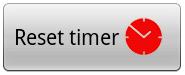
     Sometimes we want to include a small icon inside a Button, how to achieve this? Prepare your PNG file and put it your res/drawable folder along with the other image resources in your application. just like any other view handling - this can be done by Code or by XML. By XML                    <Button                        android:id="@+id/buttonId"                        android:layout_width="wrap_content"                        android:layout_height="wrap_content"                        android:layout_gravity="center"                        android:drawableRight="@drawable/timer_red"       ...