Posts

Showing posts with the label Drawables

Boil an egg app - step by step (step 3 – code)

Image
  After reviewing part 2 of the tutorial, it’s time for coding. let’s get started. In the main activity class we’ll have the following things to do: 1. set some private variables to be accessed from different places in the class. 2. bind some variables to views from the xml reviewed in part 2 3. set listeners for the different buttons on the screen 4. handle timer changing and displaying time remained   let’s elaborate on this : 1. initialize some variables in the main class, place those prior to the onCreate() method:     private Button btnSmallEgg,btnMediumEgg,btnLargeEgg;     private Button btnCookAnEggTimer,btnResetTimer;     private TextView btnSoftEgg,btnHardEgg;     private TextView tvTimer,tvTimerLabel;     private TextView tvChooseEggSize,tvChooseEggType,tvIntro ;         long minutes;     long seconds;     long maxTimer=600...
Gradient in XML– easy as pi

  Tired of using solid background colors but you think it’s a bit trouble to use you favorite graphics tool too create interesting backgrounds for you controls or layouts? well, creating gradients in your android app is easy enough, here’s an example: In your drawable folder , create an xml file. the next code creates a gradient which is from top to bottom, with start color of white and end color of somewhat orange, it begins to get a strong fade after 90% of the measure of the container view. <? xml version ="1.0" encoding ="utf-8" ? > < selector xmlns:android ="http://schemas.android.com/apk/res/android" > < item > < shape > < gradient android:angle ="90" android:startColor ="#fff" android:endColor ="#FFA812" android:type ="linear" android:centerY ="0.9" /> </ shape > </ item ...

How to set the drawableRight resource by code?

Image
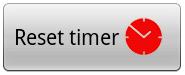
     Sometimes we want to include a small icon inside a Button, how to achieve this? Prepare your PNG file and put it your res/drawable folder along with the other image resources in your application. just like any other view handling - this can be done by Code or by XML. By XML                    <Button                        android:id="@+id/buttonId"                        android:layout_width="wrap_content"                        android:layout_height="wrap_content"                        android:layout_gravity="center"                        android:drawableRight="@drawable/timer_red"       ...